Released: Customise Static Shop Text Directly In The Editor
Introducing Full Control Over Shop Placeholder Texts
We are excited to announce a significant update that gives you full control over your shop's static texts. This new feature allows you to edit all text placeholders directly within the Editor, across all available languages.
Why this update matters
Previously, static texts such as labels, notifications, general messages, and other content not tied to your items or categories, could not be customised via the Editor. We have implemented this essential improvement to enhance your user experience and flexibility.
Key Advantages for your Shop
This enhancement streamlines your workflow and makes personalising your shop easier. You gain the power to adapt your shop’s language to perfectly match your brand's voice and regional requirements.
The update also brings practical improvements over the old multilingual UI.
Effortless Search: Easily search for placeholders and values.

Simultaneous Editing: Add and edit as many languages simultaneously as needed.

Default or Changed: Instantly see whether a placeholder uses the theme’s default translation or has been customised by you. If it was customised, you can revert it back to the default with a single click.

Translation Progress Overview: Immediately see how many placeholders exist per language and how many of them are already translated.

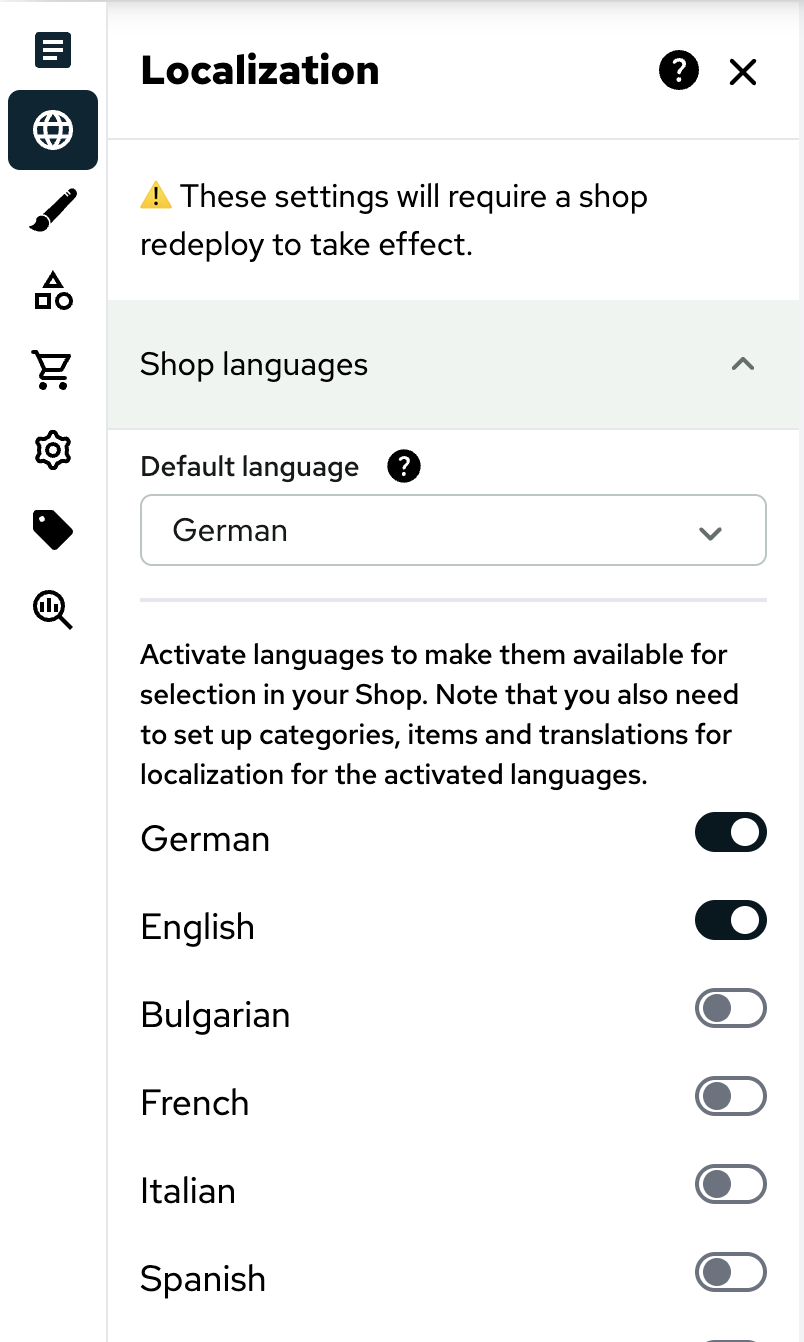
Streamlined Language Settings: We’ve also moved important language-related settings closer to where you actually work with them. The options to set your shop’s default language and active languages, previously found under Setup >> Shop >> [Client Selection] >> Multilingualism are now integrated directly into the editor, in the same section as the localization UI.
Required Action
To access this new feature, your shop must have Shop Version 2.8 or higher installed.
Once installed, navigate to the Settings tab within the Shop Editor and find the new feature under the main menu: Localization.
We appreciate your feedback!
We look forward to providing you with an even better experience through enhanced customisation.
If you have any questions or require assistance, contact our support team on the Service Desk.