Released: Managing HTML Titles per Item for More Control over Display and Discoverability
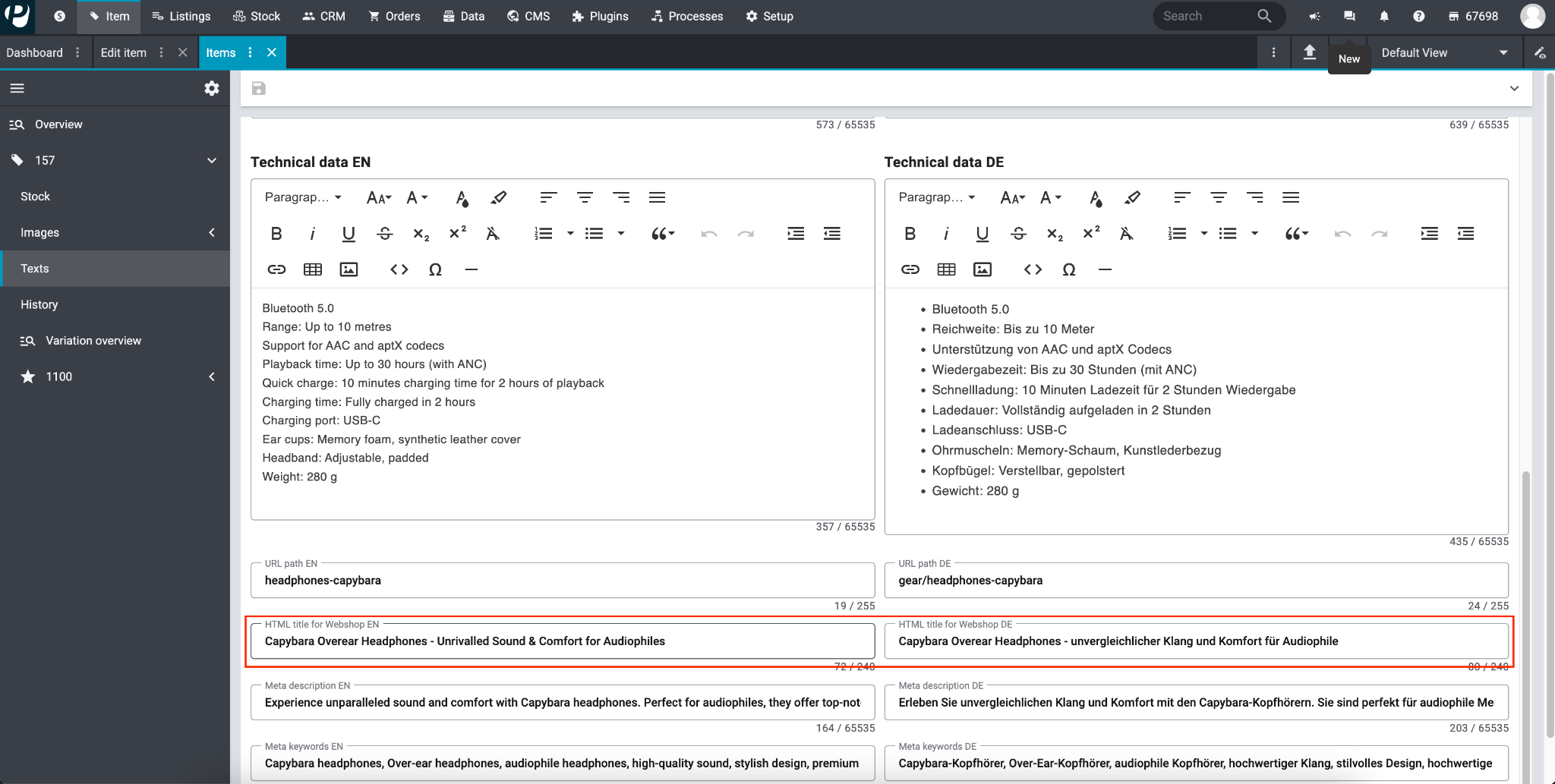
We are pleased to inform you that you can now customize the HTML title of an item. Previously, this title was automatically generated according to a fixed format. With this change, you have more control over the display and discoverability of your items in plentyShop LTS and PlentyONE Shop (previously plentyShop PWA)
What exactly is an HTML title?
The HTML title is the text enclosed in the <title> tag of an HTML document. For a webpage, the title serves as the headline that appears on browser tabs, search engine result pages, and when the page is bookmarked. Its primary functions are:
SEO Relevance:
It helps search engines understand the content of the page, improving its ranking for relevant queries.
A well-optimized title increases the chances of users clicking through to the item page from search results.
User Context:
The title provides immediate context to users, ensuring they know what the page is about.
Enhances usability, as users switching between multiple tabs can quickly identify your product page.
How can you manage the HTML title of an item?
The Item UI provides an additional input per item. It is called HTML Title for Webshop. You can manage it in all your shops languages.
What happens if you don't actively manage your HTML titles?
Don't worry! We keep the same behaviour as before, if you don't maintain the data and leave the inputs empty. This means that it's going to use the autogenerated format of Item name | Company name
Is this useful to you? Would you change something? Let us know!
Use the feedback function to let us know if we can do something differently.
Thank you for your continued support!